Need help placing an order? You can contact us directly on WhatsApp via! +254 759 857 032
How to Set Up M-PESA Till Number for Business
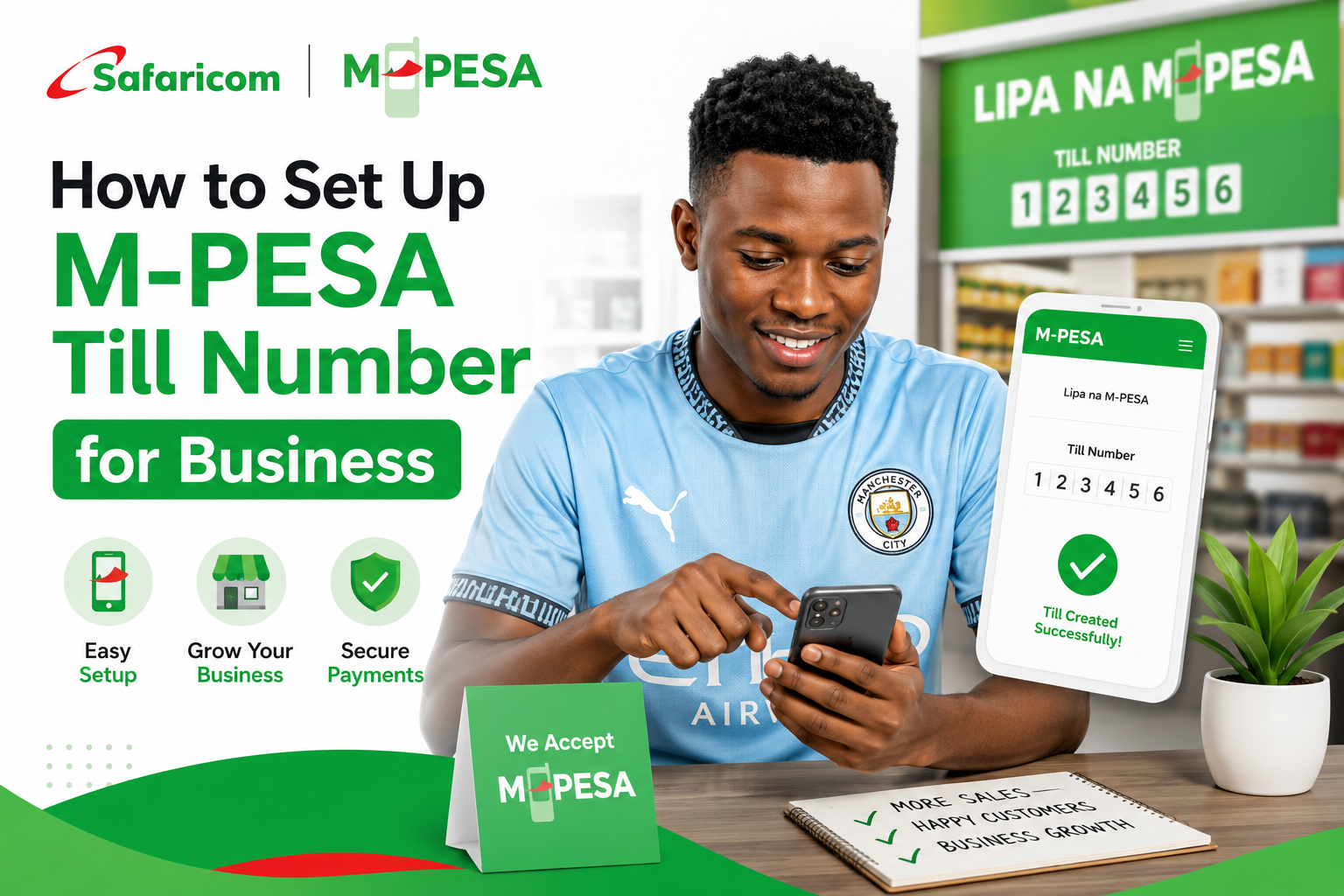
If your customers keep asking "hamna Till?" and you're still cash-only, it's probably time to set one up. A Till Number, officially called a Lipa na M-PESA Buy Goods Till, lets customers pay you directly from their M-PESA without you sharing your personal phone number.
Here's exactly how to set one up, whether you're a small trader working alone or running a registered company.
Till Number vs Paybill vs Pochi la Biashara
Before applying, it helps to know which option actually fits your business:
- Till Number (Buy Goods): Best for shops, kiosks, restaurants, and traders taking frequent small payments. Customers use the "Buy Goods and Services" option on M-PESA.
- Paybill: Better suited for businesses that need to track payments against specific accounts, such as schools, landlords, or utility companies. Requires a business bank account for settlement.
- Pochi la Biashara: The simplest option, built for individual traders with no business registration at all. It's activated directly from the M-PESA app on your phone, with no paperwork required, though it comes with a lower daily transaction limit.
This guide focuses on setting up a Till Number, since it's what most small and growing businesses need.
What You Need Before You Apply
Requirements depend on how your business is structured. In general, you'll need:
If you're an individual or unregistered trader:
- National ID (front and back)
- A registered Safaricom line in your own name
If you're a sole proprietor:
- National ID
- KRA PIN certificate (downloaded from iTax)
- Certificate of Business Registration or Business Permit from your county government
If you're a limited company:
- Certificate of Incorporation
- KRA PIN certificate (company)
- CR12 (valid within the last 3 months)
- Director's National ID
For all business types, if you want funds settled to a bank account instead of your M-PESA wallet:
- A cancelled cheque or a letter from your bank confirming the account
It also helps to have proof of your physical business location, such as a photo of your shop or a lease agreement, though this isn't always mandatory.
How to Apply for an M-PESA Till Number Online
The most common way to apply is through Safaricom's dedicated business portal.
- Go to m-pesaforbusiness.co.ke and click "Apply Now."
- Select M-PESA Business Till (Buy Goods).
- Choose your business type: Individual, Sole Proprietorship, or Limited Company.
- Choose your settlement preference: settle to your M-PESA wallet, or settle directly to a bank account.
- Fill in your business details, including business name and physical address.
- Upload the required documents based on your business type (ID, KRA PIN, registration certificate, and bank confirmation if applicable).
- Review your application and submit it.
- Track your application status under "My Applications" on the portal.
Once approved, you'll receive an SMS with your Till Number and Store Number, along with an Operator ID and a one-time start PIN for activation.
How to Activate Your Till Using *234#
After you get your approval SMS, you need to activate the Till on the phone line that will manage it.
- Dial *234# on the registered Safaricom line.
- Select M-PESA Business Till.
- Enter the Store Number you received via SMS.
- Accept the terms and conditions.
- Enter your Operator ID and the start PIN from your SMS to set your own operating PIN.
- Submit to complete activation.
Note that the exact menu wording may vary depending on the current version of the service, so follow whatever prompt appears on your screen if it differs slightly.
Alternative Ways to Apply
If you'd rather not use the online portal, you have other options:
- M-PESA Business App: Download the app, sign in with your Safaricom line, choose to register a Buy Goods Till, enter your business and KRA details, and verify your identity. This works well for self-service on a smartphone.
- Safaricom Shop: Visit any Safaricom shop with your ID, KRA PIN, and business documents. This is often the smoothest route for limited companies, since an agent handles the organisation setup for you.
- *USSD (234#): You can also start certain registration steps directly through the *234# menu on your phone, useful if you don't have a smartphone or reliable internet.
Adding Operators to Your Till
If you have staff or family members helping run the business, you can add them as operators so they can also process payments without using your personal PIN. This is done through the M-PESA Business app or portal after your Till is active, and it's especially useful if more than one person serves customers at different times.
Important Things to Know
- Processing typically takes anywhere from 24 to 72 hours for online applications, though it can extend to a few business days depending on document verification. Applications submitted at a Safaricom shop with a company setup may take a similar timeframe.
- On the customer side, Lipa na M-PESA Buy Goods payments are generally free for the customer on typical transaction amounts. On the merchant side, a small percentage fee applies, capped at a set amount, so check the current merchant charges on Safaricom's official channels since these can be updated.
- Settling to your M-PESA wallet is simpler to set up, while settling directly to a bank account requires additional bank confirmation documents but can make reconciliation easier for larger businesses.
- Name mismatches are a common cause of rejection. If your ID and KRA PIN show your names in a different order or spelling, correct this before applying to avoid delays.
What If Your Application Is Rejected?
- Name mismatch between ID and KRA PIN: This is one of the most common rejection reasons. Update your KRA PIN details through iTax or correct your ID details, then reapply.
- Blurry or incomplete document uploads: Rescan your documents clearly in colour and make sure all four corners of each document are visible before resubmitting.
- Missing bank confirmation for bank settlement: If you chose bank settlement, make sure you attach a valid cancelled cheque or an official bank letter, not a personal statement.
- Application stuck in pending status for too long: Give it the standard processing window first. If it's taking noticeably longer than usual, follow up through the portal's "My Applications" section or visit a Safaricom shop with your reference number.
Tips to Avoid Common Mistakes
- Register your business properly (even just a Single Business Permit) before applying if you want higher transaction limits and smoother bank settlement later.
- Double-check that the phone number you're using to register is actually registered in the applicant's name, since mismatches cause delays.
- Choose the settlement option that fits how you actually run your business. Wallet settlement is simpler for small traders; bank settlement suits businesses that need clean accounting records.
- Test your Till with a small payment from another line once it's active, to confirm funds are received and settling correctly before relying on it for real customer transactions.
- Update your business's social media bios, Google listing, and shop signage with your Till Number once it's live, so customers know they can pay digitally.
Since you'll likely be managing your Till through your phone throughout the business day, a reliable charger and a power bank are worth having close by, especially if your shop doesn't always have steady power. TechWave Accessories stocks chargers and power banks that keep your phone running so you never miss a payment notification.
Frequently Asked Questions
Can I get a Till Number without registering my business?
Yes. Safaricom currently allows individuals without formal business registration to apply for a basic Till Number using just their National ID and a registered Safaricom line, though a registered business typically unlocks higher transaction limits.
How long does it take to get an M-PESA Till Number?
Online applications are typically processed within 24 to 72 hours, though it can take a bit longer depending on document verification. Applying at a Safaricom shop can sometimes be completed the same day.
Do I need a business bank account to get a Till Number?
No, not necessarily. You can choose to have funds settle directly to your M-PESA wallet instead of a bank account. A bank account is only required if you specifically choose bank settlement.
How much does it cost to set up a Till Number?
Setup itself does not typically carry a fee, though ongoing merchant charges apply on transactions. These charges can be updated by Safaricom, so confirm current rates on the official M-PESA for Business portal or with Safaricom directly.
Can I add other people to help manage my Till?
Yes. Once your Till is active, you can add operators through the M-PESA Business app or portal so staff or family members can process payments without using your personal PIN.
What's the difference between a Till Number and Pochi la Biashara?
A Till Number is set up through the M-PESA for Business portal, app, or *234#, and suits growing businesses that may need higher limits or bank settlement. Pochi la Biashara is activated straight from the regular M-PESA app with no paperwork, but comes with a lower daily limit, making it better suited to very small or informal traders.
Leave a comment
Share your thoughts with the community.
Amazing Deals For You
Dont Miss Out On the Latest Trending Deals
GUARANTEED PRODUCT QUALITY
No fake products with money back guarantee
Instant returns on unsatisfactory products upon delivery
FAST RELIABLE DELIVERIES
Same day delivery promise within Nairobi,
Mombasa, Nakuru, Kisumu
Selected pickup points for convenience
PERSONALIZED FOR YOU
Pay with debit card, M-PESA or credit card
Compare products for easy purchase
Get digital assistance in your purchase